A GPU-accelerated image editorbuilt for Linux and Wayland.
Rust and Qt 6 QML. A zero-copy wgpu/Vulkan canvas that never moves a pixel across the language boundary while you paint. A dense workspace shaped after Photoshop and drawn in the idiom of KDE Plasma 6.
Linux has capable image editors. It has fewer that treat latency as part of the design.
Frame time is a feature
Compositing happens on the GPU and stays there. Document pixels are written by wgpu and presented by Qt's Vulkan RHI on the same device, so nothing crosses the language boundary while you pan, zoom or paint — a 4K document with a stack of layers moves at the refresh rate of the monitor, not the speed of a memcpy.
Photoshop decides where
The tool shelf is on the left, the options bar under the menu bar, and Layers, Properties and History on the right. Menu entries sit under the menu they belong to. Nobody moving across should have to relearn where anything lives, so nothing has been rearranged to be tidier.
Plasma decides how it looks
Spacing, control shapes, focus and hover treatment follow KDE Plasma 6, drawn from one token file rather than a second palette invented per panel. A dense editor that belongs on the desktop it runs on, instead of a web app wearing a title bar.
Features
Everything an editing session needs, and no account to make.
No cloud, no telemetry, no sign-in. PhotoTux opens files on your disk and writes them back.
Layers
Raster, group, text, shape, fill, adjustment and smart-object layers
28 blend modes, grouped the way the Photoshop menu groups them
Opacity, clipping masks, locks and Blend If ranges per layer
Duplicate, Merge Down, Merge Visible, Flatten, Group, Align and Distribute
Masks and selections
Rectangular, elliptical, freehand, polygonal and by-colour selection
Add, subtract and intersect; Select All, Deselect, Inverse
Modify ▸ Expand, Contract, Feather, Border and Smooth — each asking for its radius
Layer masks, with mask ⇄ selection round-trips
Non-destructive adjustment
Ten adjustment layers, each re-editable at any point
Black & White, White Balance, Threshold, Posterize, Invert
The pixels underneath are never touched
Filters
Thirteen effects: Gaussian, Box, Motion and Zoom blur; Sharpen and Unsharp Mask
High Pass, Clarity, Denoise, Emboss, Add Noise, Offset, Invert
A per-layer filter plan you can reorder and disable
A gallery that previews on the canvas and touches nothing until you commit
Painting and retouch
Brush, Clone Stamp, Eraser, Gradient and Paint Bucket
Blur, Sharpen and Smudge; Dodge, Burn and Sponge
Pressure-aware stroke path, built for tablet latency
Eyedropper, swatches and a colour picker that reads the composite
Smart objects
Wrap a layer so a transform re-applies to the source instead of accumulating on it
Move, then scale, and both come back at full quality
Placement is re-editable; rasterize when you are done
Sources travel with the document and survive save and reopen
Files
.ptx — the native layered document, with per-layer rasters and masks
Layered PSD import and export, with a compatibility report
PNG, JPEG, WebP, TIFF, BMP and GIF
ICC embed, assign, convert and soft-proof
Workspace
Dockable Properties, Navigator, Swatches, Layers and History panels
Document tabs, workspace presets and a command palette
Rebindable shortcuts with conflict detection
Crash recovery for anything open when a session ends badly
Every command in the editor also exists in the command palette (CtrlShiftP) and as a rebindable action. The full list is in the tool reference.
Screenshots
The application, as it is today.
Captured from a real build on Wayland. The image being edited is synthetic, so nothing here is a licence you would have to honour.
PhotoTux
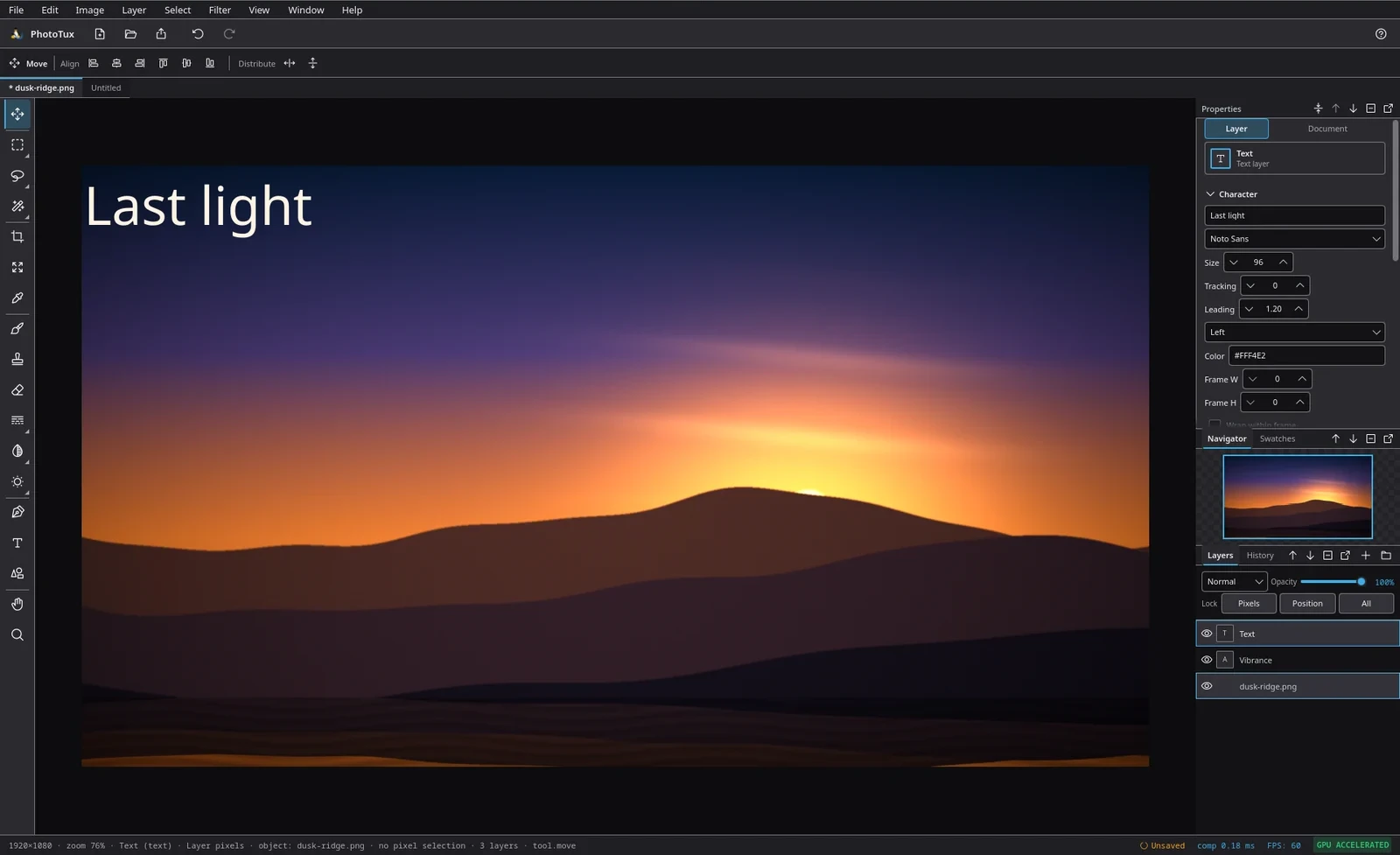
A document open with a text layer over a Vibrance adjustment over the photograph. The status bar carries the document size, zoom, active layer and the composite time for the last frame.
PhotoTux
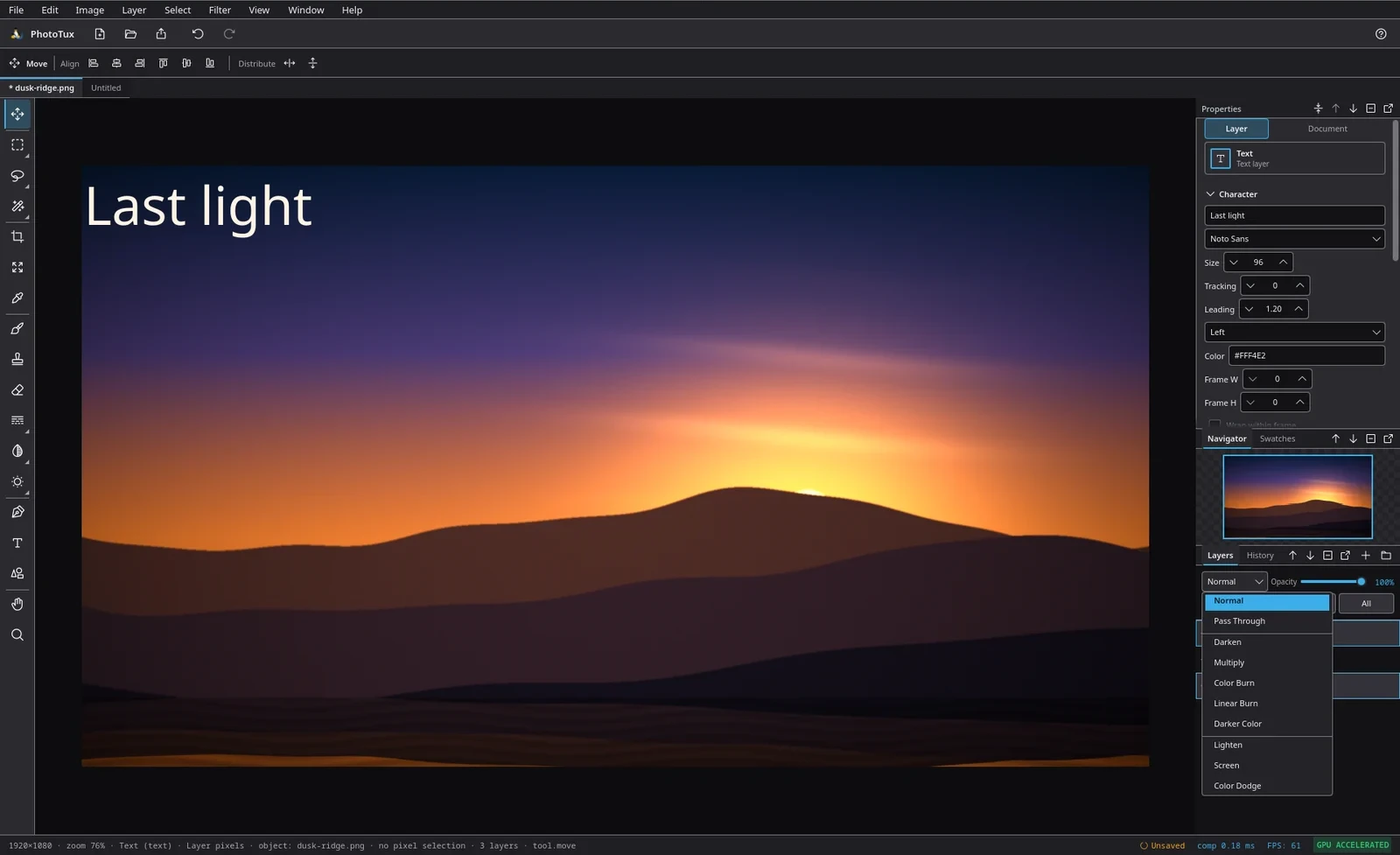
All 28 modes, banded by family — normal, darken, lighten, contrast, compare, component — so the list teaches the grouping rather than spelling it out.
PhotoTux
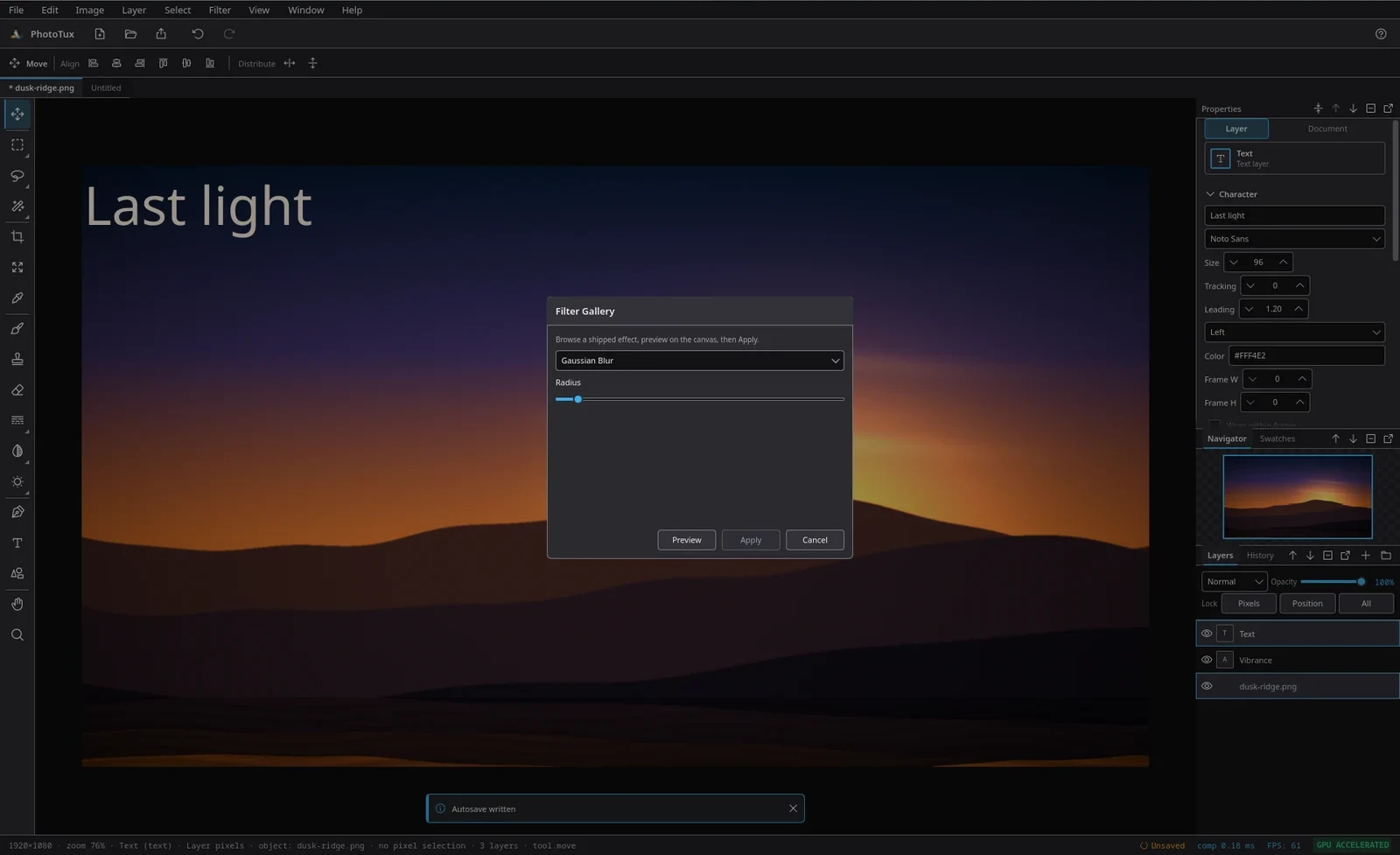
Preview draws on the canvas without marking the document dirty. Nothing reaches the layer until Apply, and a stale preview is refused rather than committed.
PhotoTux
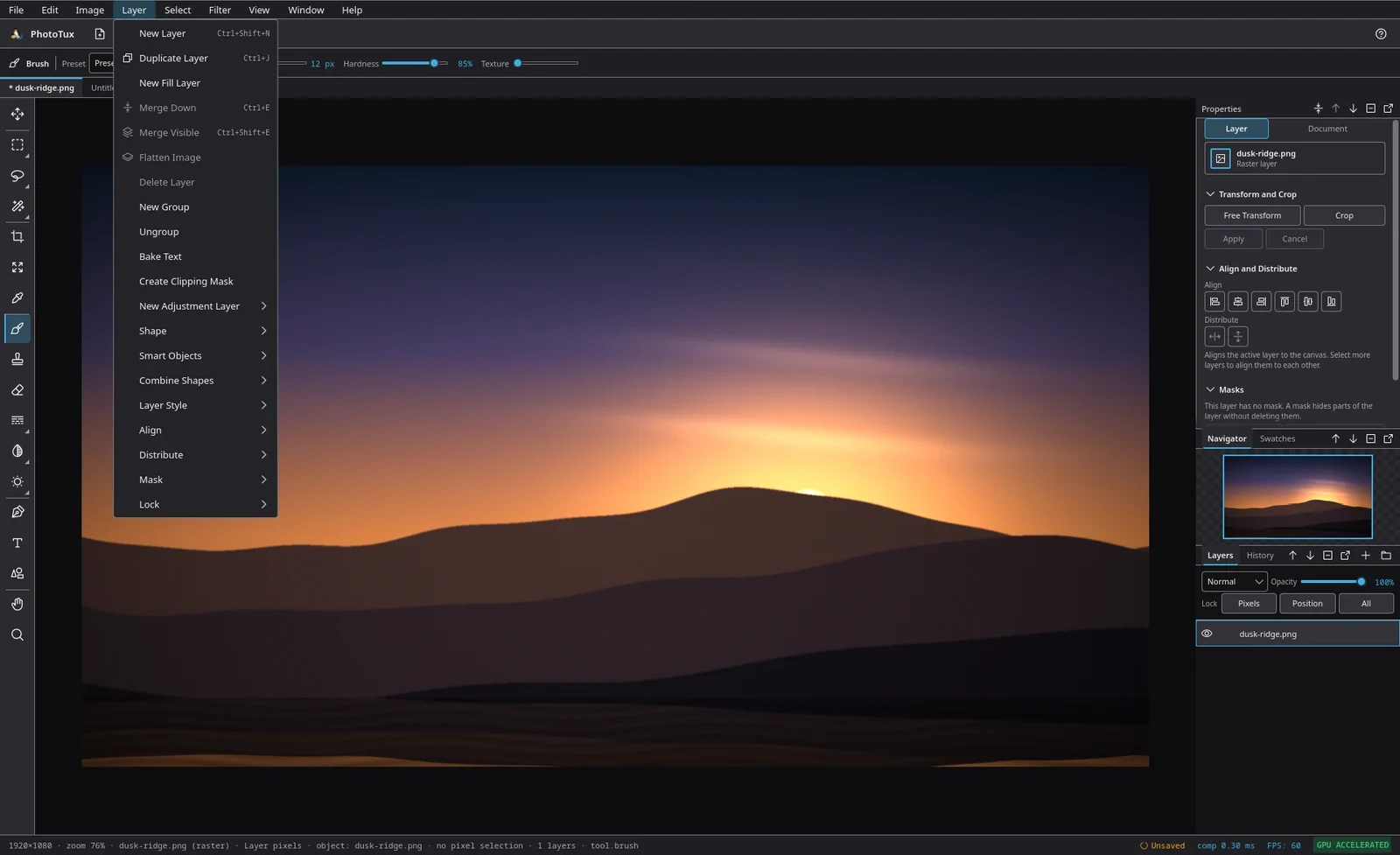
The Layer menu, in Photoshop's order: New Layer, Duplicate, the merge family, groups, then the submenus for adjustments, shapes, smart objects, styles, align and masks.
PhotoTux
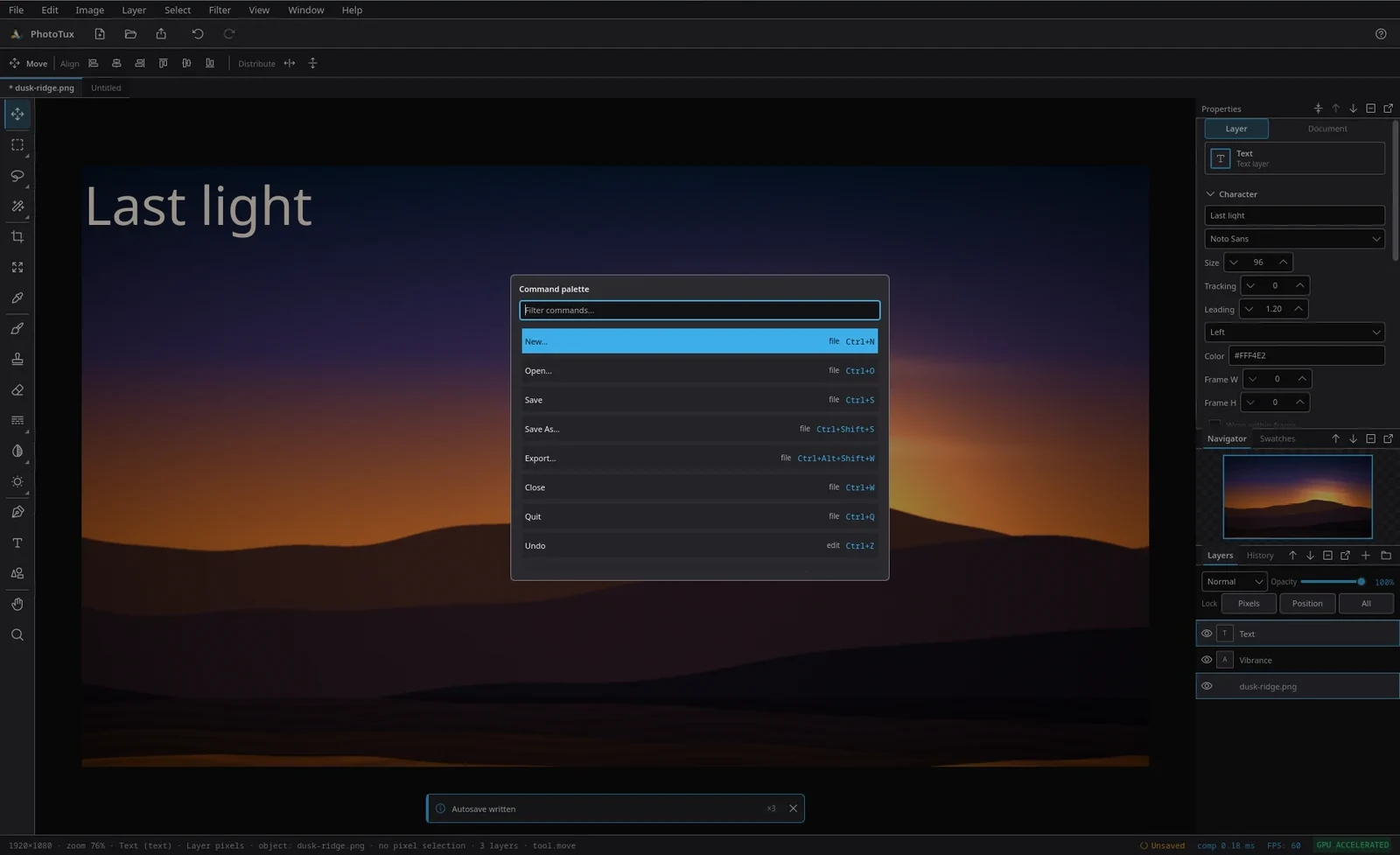
Every action in the application, filterable, with its menu and its chord. The same registry drives the menus, the palette and the shortcut editor.
PhotoTux
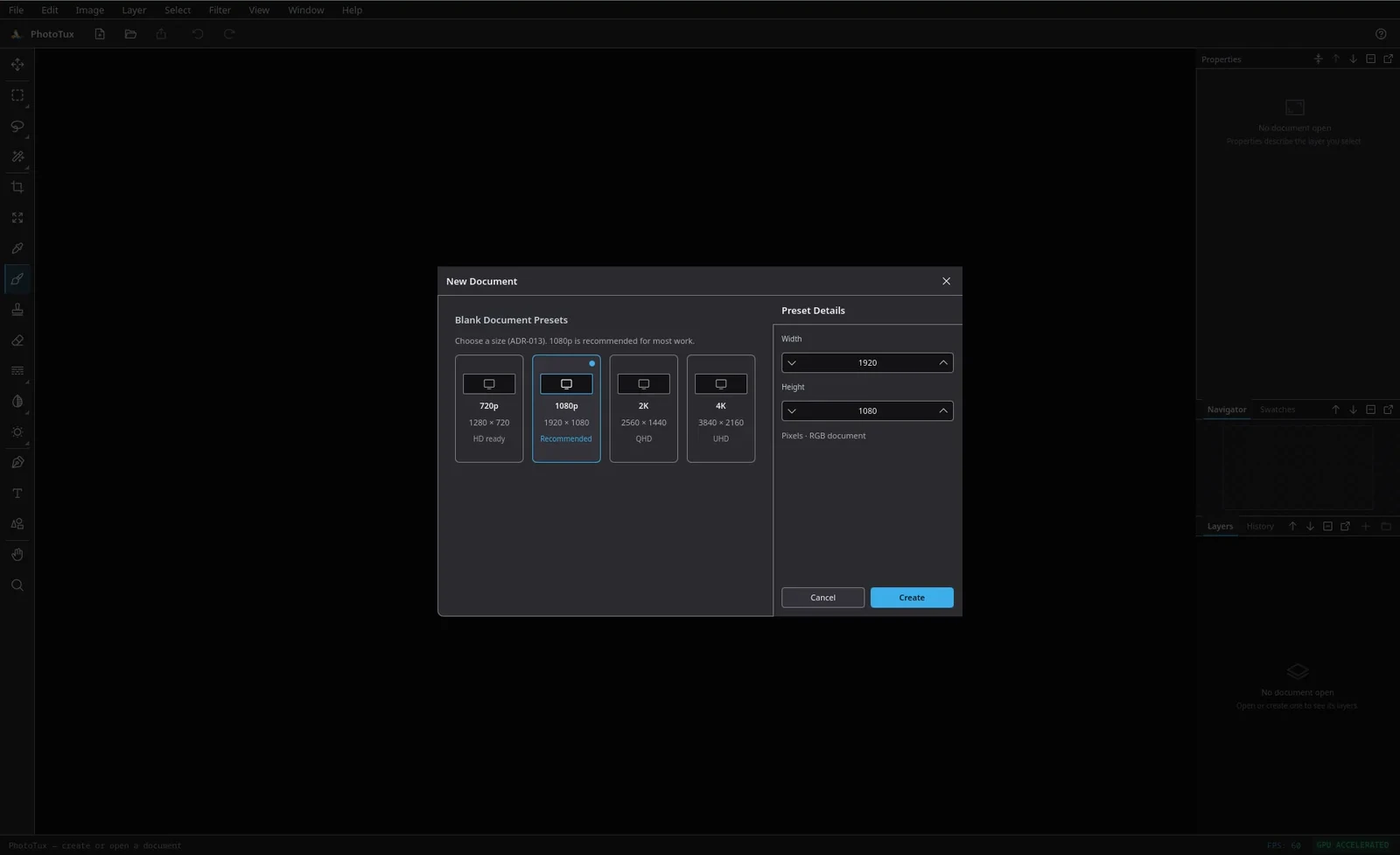
720p, 1080p, 2K and 4K presets with an editable size beside them. New documents open on an opaque white Background and zoom to fit.
PhotoTux
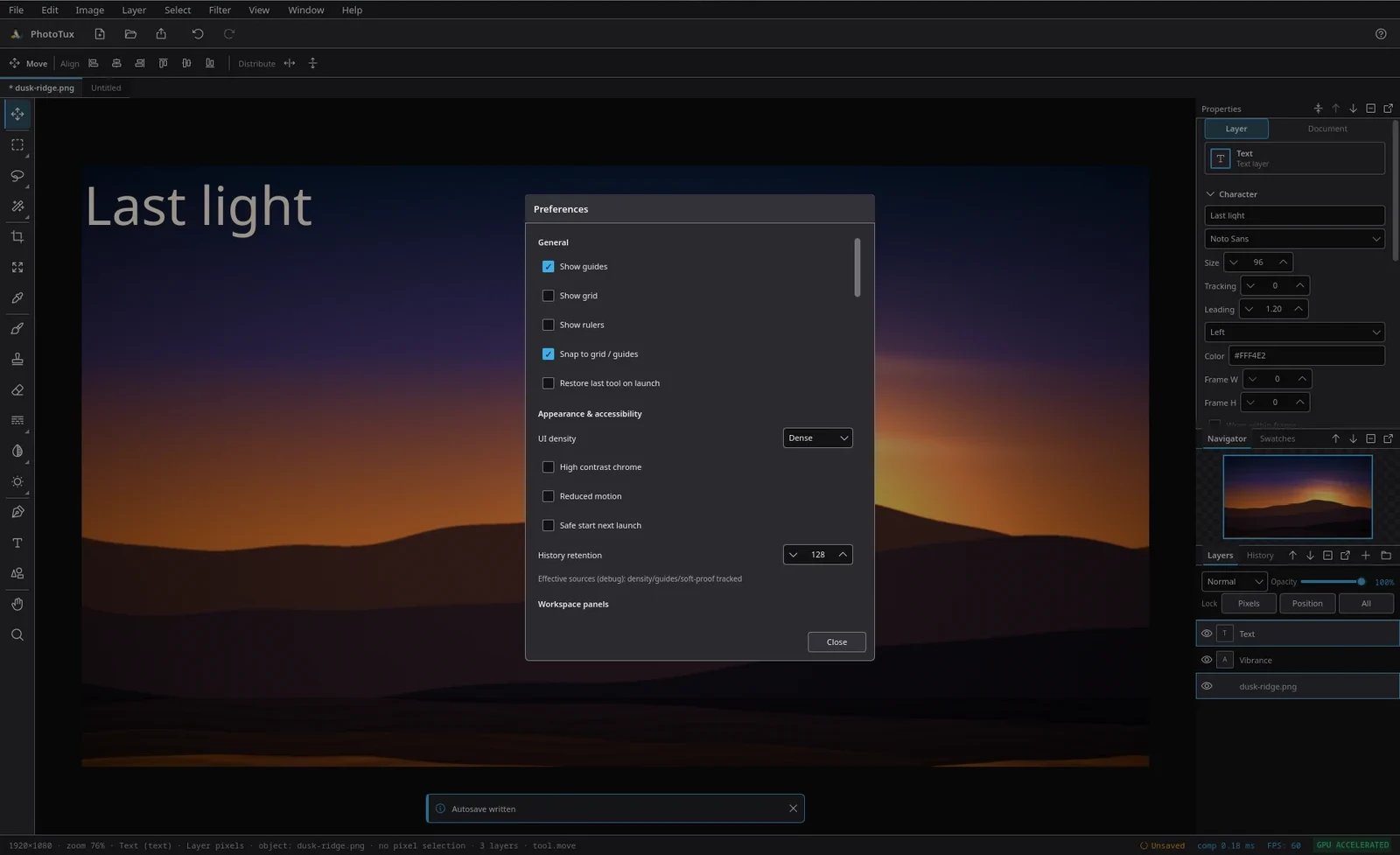
Guides, grid and rulers; UI density, high-contrast chrome, reduced motion and a safe-start switch; history retention.
Under the hood
A small workspace with boundaries that are enforced, not suggested.
The core is portable and headless: the document, the command spine and the history know nothing about Qt or the GPU, which is why they can be tested without either.
Rust 2024Six crates, boundaries enforced by test
Qt 6 QMLVia qtbridge, compiled ahead of time
wgpu / VulkanZero-copy present, no CPU upload
No networkNo accounts, no telemetry, no cloud
The six crates of the PhotoTux workspace, what each owns, and what each is kept free of.
Crate
Owns
Stays free of
phototux_engine
Document, commands, history, session semantics
Qt, wgpu
phototux_ui
The qtbridge QObjects the QML shell binds to
wgpu
phototux_canvas
Qt ↔ wgpu interop and the thin C++ shim
Handwritten C++ beyond that shim
phototux_gpu
wgpu pipelines, shaders, compositing
Qt
phototux_io
.ptx, raster codecs, the PSD subset
Qt, wgpu
phototux
The binary and the ahead-of-time compiled QML module
Business logic
The reasoning behind each boundary is recorded in the project's decision register — see DR-023 and DR-025 for the frozen stack and the crate topology.
Files
Your work stays on your disk, in formats other tools can read.
Layered subset, RGB 8-bit, with a compatibility report
PNG
Flattened, with alpha
JPEG
Flattened, quality 92 on export
WebP
Flattened
TIFF
Flattened
BMP
Flattened
GIF
First frame only
Colour management
ICC profiles can be embedded, assigned and converted, and a soft-proof view shows what a document will look like through a chosen output profile. Profile bytes are validated before they are written into a document.
Recovery
Documents open when a session ends badly are written to a recovery store and offered back at the next launch. Autosave runs while you work and says so in the status area.
The container format and its versioning rules are documented in the format reference.
Install
Building from source is the way in.
There are no distribution packages yet — no AUR entry, no Flatpak, no AppImage. When there are, they will be listed here first.
git clone https://github.com/PerkyZZ999/Phototux.git
cd Phototux
export PATH=/usr/lib/qt6/bin:$PATH
export QMAKE=/usr/lib/qt6/bin/qmake
cargo run --release -p phototux
The PATH and QMAKE exports are not optional on any distribution that puts Qt 5's qmakefirst. The build links against whichever Qt that qmakereports, so getting it wrong produces a link error that looks like a missing symbol rather than a wrong Qt.
3Make something
First launch opens New Document with 720p, 1080p, 2K and 4K presets. The tour of the workspace walks through where everything is, and the installation guide covers the cases this page does not.